David777
Well-known Member
- Location
- Silicon Valley
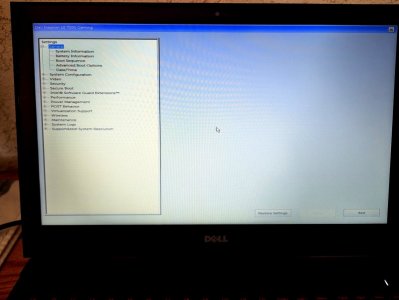
Since my Dell XPS-15 laptop running Windows 10 has been unusable the last 13 days as the Master Boot Record became stuck in Write protect Mode, this long time Mouse user has been using a cheap Windows 11 PC with a hated Touchpad (to me) using it like a kindergartener with most gestures turned off using the ARROW keys with SHIFT. (Will need to bring it down to a PC repair service with software that may be able to fix it as my new HP desktop won't arrive for another 2 weeks.)
So today, annoyingly to myself, watched some Youtube tutorials on Touchpad basics. No wonder I've had trouble. Years ago when I was first faced with these devices trying to (impatiently) figure out how some gestures are performed was annoyed because a fair amount of what I read fails say to fully explain when one is supposed to hold a finger down on a touchpad or lift it up as though one is supposed to already intuitively understand such. For example pinhead created directions might state, "Within text intending to SELECT with one finger, tap twice then drag one's finger to a the end of a selection."
More correctly verbosely would be, "Within text intending to SELECT with one finger, tap twice while holding the finger down on the second tap, then without lifting the finger move that finger to the end of the intended selection, and then lift up the finger to end the selection process."
Holding the finger down without accidentally slightly lifting it up is not something I've yet been able to perform consistently so often need to repeat. I'll get better in the next two weeks.
In my tech career, I often wore a hat writing test procedures and process documents. Even numbers of highly educated, intelligent engineers are lousy at writing procedures for others and product documents as they can't seem to understand the perspectives of unfamiliar others. Especially consumer products of smaller companies are too often full of such poor documentation that fails to fully, clearly, communicate how to perform whatever. One reason is because such documentation is often proof read by those that already understand subtle actions that those completely unfamiliar won't. School teachers usually become very good at such because they are taught to communicate so and if not, will soon learn if what they instruct doesn't register with students.
What I did like this morning was how Yahoo Search AI that I am increasingly enjoying upon asking why so many of we older Mouse users had trouble with Touchpads, spit out the below learning to hate laptops that always use such input devices:
--------------------------
Familiarity with Traditional Input Devices
Older users often have extensive experience with mice, making them comfortable and efficient with traditional navigation methods.
Touchpad gestures can feel unfamiliar and unintuitive, leading to frustration.
Precision and Control
Mice typically offer greater precision for tasks like graphic design or gaming, which touchpads may struggle to replicate.
Users may find it challenging to execute gestures accurately, resulting in errors.
Accidental Gestures
Touchpads can register unintended gestures, causing disruptions during work.
Users may inadvertently trigger actions like scrolling or zooming, which can be annoying.
Learning Curve
Touchpad gestures often require a learning period, which some older users may be reluctant to invest in.
The complexity of multiple gestures can overwhelm users who prefer straightforward navigation.
Physical Limitations
Some older users may have physical limitations that make using a touchpad less comfortable than a mouse.
The tactile feedback of a mouse can be more satisfying and easier to control for those with dexterity issues.
So today, annoyingly to myself, watched some Youtube tutorials on Touchpad basics. No wonder I've had trouble. Years ago when I was first faced with these devices trying to (impatiently) figure out how some gestures are performed was annoyed because a fair amount of what I read fails say to fully explain when one is supposed to hold a finger down on a touchpad or lift it up as though one is supposed to already intuitively understand such. For example pinhead created directions might state, "Within text intending to SELECT with one finger, tap twice then drag one's finger to a the end of a selection."
More correctly verbosely would be, "Within text intending to SELECT with one finger, tap twice while holding the finger down on the second tap, then without lifting the finger move that finger to the end of the intended selection, and then lift up the finger to end the selection process."
Holding the finger down without accidentally slightly lifting it up is not something I've yet been able to perform consistently so often need to repeat. I'll get better in the next two weeks.
In my tech career, I often wore a hat writing test procedures and process documents. Even numbers of highly educated, intelligent engineers are lousy at writing procedures for others and product documents as they can't seem to understand the perspectives of unfamiliar others. Especially consumer products of smaller companies are too often full of such poor documentation that fails to fully, clearly, communicate how to perform whatever. One reason is because such documentation is often proof read by those that already understand subtle actions that those completely unfamiliar won't. School teachers usually become very good at such because they are taught to communicate so and if not, will soon learn if what they instruct doesn't register with students.
What I did like this morning was how Yahoo Search AI that I am increasingly enjoying upon asking why so many of we older Mouse users had trouble with Touchpads, spit out the below learning to hate laptops that always use such input devices:
--------------------------
Familiarity with Traditional Input Devices
Older users often have extensive experience with mice, making them comfortable and efficient with traditional navigation methods.
Touchpad gestures can feel unfamiliar and unintuitive, leading to frustration.
Precision and Control
Mice typically offer greater precision for tasks like graphic design or gaming, which touchpads may struggle to replicate.
Users may find it challenging to execute gestures accurately, resulting in errors.
Accidental Gestures
Touchpads can register unintended gestures, causing disruptions during work.
Users may inadvertently trigger actions like scrolling or zooming, which can be annoying.
Learning Curve
Touchpad gestures often require a learning period, which some older users may be reluctant to invest in.
The complexity of multiple gestures can overwhelm users who prefer straightforward navigation.
Physical Limitations
Some older users may have physical limitations that make using a touchpad less comfortable than a mouse.
The tactile feedback of a mouse can be more satisfying and easier to control for those with dexterity issues.
Last edited: