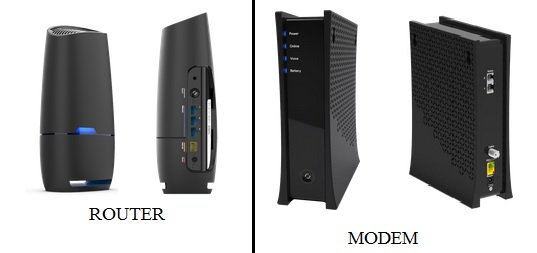
That pattern of lights usually means your modem temporarily lost connection to the provider and was trying to reconnect. The router turning red supports that too.
Even though support said they saw no interruption, short outages like 10–30 minutes often don’t get logged or reported, especially if they’re limited to a neighborhood node local to you.
Since everything came back on its own, it was most likely a brief service drop outside your home rather than anything wrong with your equipment.
If it starts happening more often, then it would be worth having them check the line or signal levels, but a one-time event like that while certainly annoying, isn’t unusual.
So, keep an eye on how often it happens and write it down as a reminder. If repeated and often, ask your ISP to check signal levels, line noise and ask if they detect neighborhood node issues.
And if it’s happening repeatedly and the ISP keeps saying “everything looks good,” then you’re past the easy explanation. At that point, you’re dealing with something intermittent that their remote checks aren’t catching. That’s pretty common. Here’s the reality: their “signal levels are good” usually means they were good at the exact moment they checked. It does not rule out brief drops.
Hopefully your experience was a one-off and everything settles back down, but if it happens repeatedly, they keep saying "everything looks good," then what? Something to think about maybe next, is the modem itself. Modems do fail in subtle ways. Aging hardware can lose sync intermittently, heat-related issues can cause short dropouts and firmware glitches can cause reboots or re-registration.
If the modem is a few years old, swapping it (even temporarily) is one of the fastest ways to rule things out. There is also a hard reset function (usually a small button flush with the modem housing) that you might try. Check modem documentation for hard reset steps. But if you do a hard reset, export the modem settings or record them before doing a hard reset, so settings can be restored automatically, from a file or your notes, however the modem works. Also check lines and connections as far as you are confident with and able.
If push comes to shove, don't rule out requesting a tech visit from your ISP to assist with lines and equipment evaluation. Especially if you contact the ISP WHILE YOUR SERVICE IS DOWN and they say "everything looks good."
Bottom line is that if it's frequent and the ISP sees nothing, suspect hardware or wiring first, push for a physical assist visit and inspection, don't accept "looks good from here" as a final answer.