Canadian members: need help contacting with Amazon.ca customer service

I don't think it was too long ago that I could search hard and eventually find a way to write a text to Amazon.ca customer service. Can't find it now.

I upgraded my Kindle app a couple years back, but it's stopped functioning properly. I want to re-install. Amazon is apparently the source, because I get a redirect from the Apple App Store to Amazon. But currently Amazon has no Kindle download button for Mac.
 
I don't think it was too long ago that I could search hard and eventually find a way to write a text to Amazon.ca customer service. Can't find it now.

I upgraded my Kindle app a couple years back, but it's stopped functioning properly. I want to re-install. Amazon is apparently the source, because I get a redirect from the Apple App Store to Amazon. But currently Amazon has no Kindle download button for Mac.
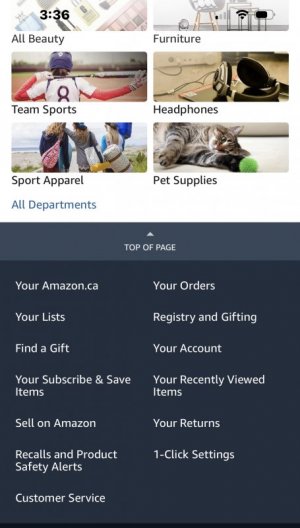
I don't know if Canadian version is different, or what device you're using, but I use regular website on PC or laptop and it has 'customer service' or 'help' at the top of the page. That's how I connect to Live Chat when necessary.
 
I don't know if Canadian version is different, or what device you're using, but I use regular website on PC or laptop and it has 'customer service' or 'help' at the top of the page. That's how I connect to Live Chat when necessary.
Thanks for the reply. I'm using a MacBook Pro (2022 model). I buy things from Amazon probably once a month or so, but there's no Live Chat option visible at the top of my Amazon page.
 
Thanks for the reply. I'm using a MacBook Pro (2022 model). I buy things from Amazon probably once a month or so, but there's no Live Chat option visible at the top of my Amazon page.
If you type "customer service live chat" at the top in the search box, does the option come up then?
 
  • in search key in customer service live chat
  • near the top of screen – contact customer service – contact us in blue lettering
  • Do you need help with a recent item
  • help with a different item – or help with something else – select help with something else
  • go down to Kindle, Alexa or other Amazon Devices
  • pick what you need help with
  • pick the issue
  • go down to I need more help
  • Chat with us or request a phone call choice comes up
 
  • in search key in customer service live chat
  • near the top of screen – contact customer service – contact us in blue lettering
  • Do you need help with a recent item
  • help with a different item – or help with something else – select help with something else
  • go down to Kindle, Alexa or other Amazon Devices
  • pick what you need help with
  • pick the issue
  • go down to I need more help
  • Chat with us or request a phone call choice comes up
Thanks, @astralcat, I'll try that.
 
  • in search key in customer service live chat
  • near the top of screen – contact customer service – contact us in blue lettering
  • Do you need help with a recent item
  • help with a different item – or help with something else – select help with something else
  • go down to Kindle, Alexa or other Amazon Devices
  • pick what you need help with
  • pick the issue
  • go down to I need more help
  • Chat with us or request a phone call choice comes up
Thanks for including these step-by-step details. That's what I do after typing in the search box.
 
Here in the UK, if I want to speak to somebody at Amazon,
I got to the text/type area and start something, then I say
that, "I need more help", this opens up a window, where I
put my phone number and click, "Call Me Now", they call
immediately.

All of this is available at the bottom of the opening page,
I just click "Customer Services".

Mike.
 
Back
Top