

debodun
SF VIP
- Location
- way upstate in New York, USA
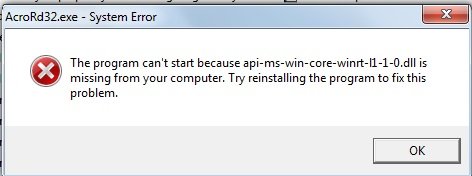
Adobe updated yesterday. Now I see this pop-up:


My browser is my default for opening pdf files.I don't have adobe. If you're trying to open a pdf file, right click on the file to see "open with" options, and you should see other options (such as your browser) you can use to open the file.

After reading your post, I was curious. Since I have another laptop that is running on Windows 7,My browser is my default for opening pdf files.
Deb, your problem is likely Windows 7 incompatibility with the newest update.

Are you saying that your Chrome browser (or whatever browser you're using) will no longer open the pdf file after you uninstalled (or "tried to uninstall") Adobe? If so, I don't know of a fix for that, since I never had Adobe in the first place.I tried to uninstall Adobe and my system hung. Had to shut the whole thing down and re-start. I am getting that message I posted in #1 on start-up. How annoying!
No. I am saying I attempted to uninstall Adobe Reader and my computer hung. Had to hard re-start. The pdf files are still readable using a browser as the program to open.Are you saying that your Chrome browser (or whatever browser you're using) will no longer open the pdf file after you uninstalled (or "tried to uninstall") Adobe?
Adobe applications sometimes run background services that should be shut down before uninstalling Adobe. If these services were active, the uninstaller could have locked up. You may want to check and see if Adobe is still on your computer or if it uninstalled as desired.No. I am saying I attempted to uninstall Adobe Reader and my computer hung. Had to hard re-start. The pdf files are still readable using a browser as the program to open.
Yep, it's still there.You may want to check and see if Adobe is still on your computer or if it uninstalled as desired.
Sorry to hear that, but if everything else is still working normally and you can still do a normal shutdown and restart without issues, I'd just leave any remnants of Adobe there. A failed attempt to uninstall it generally won't corrupt your system.Yep, it's still there.
With all due respect to MarciCS, I will never go past Win7 and let Windoze take over my system with daily 'upgrades n fixes', as I said before old fellows are slow learners but we dont like having stuff forced down out throats......Deb no offense but I think it's time you either get a new computer or update to another Windows program. They have refurbished laptops and stuff you can get at Walmart that are less expensive.

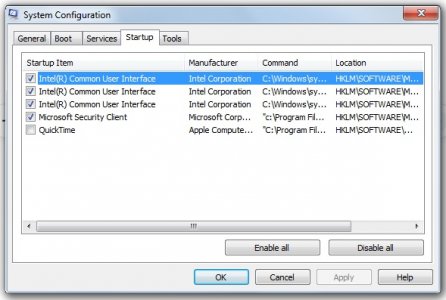
In my experience Adobe PDF reader has been extremely fussy. For reasons unknown to me, after a few uses it switches to a mode where "run as administrator" is the only way it will launch. I've also been a victim of various .dll issues. I tried several alternatives but they were incredibly difficult to work with. The best workaround I've found is to do a complete uninstall, reinstall and then it seems to run properly, until it doesn't. I wish I could offer more.I wish I had a better answer, but I don't know what else could have caused the issue. I think @Rich is a lot more knowledgeable than me in this area. Referenced him so he might offer more information.


