The "All Linux" thread

I was an IT guy in my past life, but could never leave Linux on a computer long enough to work the bugs out. Usually network, sound or printing. Could be my ADHD
Haven't tried Linux in years maybe even decades.
Ubuntu or Red Hat were the ones I dabbled with.
I have one desktop running Windoze 10 and my NVR software all the rest are various laptops.
Maybe I should give this MINT or Cinnamon a try.
 
With Linux, I've not been able to stream from a couple of services, Apple, Peacock, and maybe one other. They charge to sign up before you realize it will show you what they have, but not actually stream. It says something like "Sorry, we ran into a problem. You can try again later." They don't refund your months purchase either.

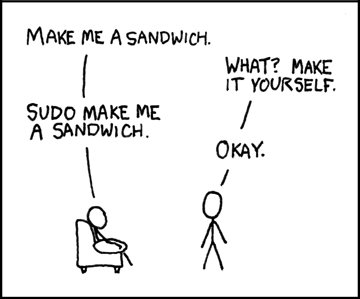
Supposedly, there are fixes, but require more geek than I am able to muster up in my brain. There are all kinds of tips on the internet, none of which I understand, with sudo this and sudo that. I don't know what sudo means, even though it's about as common as the word, "the" in Linux.
 
With Linux, I've not been able to stream from a couple of services, Apple, Peacock, and maybe one other. They charge to sign up before you realize it will show you what they have, but not actually stream. It says something like "Sorry, we ran into a problem. You can try again later." They don't refund your months purchase either.

Many major streaming sites block Linux desktop browsers. People report that services like Peacock simply refuse to play video on desktop Linux browsers, even when you can sign up and log in. They might show error messages like “Something went wrong …” or “your system configuration is not compatible” after clicking play. This isn’t typically a random glitch, it’s a deliberate restriction on the service side.

The root cause for this is mainly DRM issues. Most of these services use DRM (Digital Rights Management) to protect content (e.g., Google’s Widevine). On Linux desktop browsers, DRM support is often limited or doesn’t meet the security requirements these companies set, meaning video playback never gets authorized, even though everything else (logging in, browsing shows) works. Preview clips might load but full streams fail due to DRM handshake problems.

Websites and forum discussions going back years show that platforms like Peacock and others simply don’t list desktop Linux as a supported platform. Their help pages often list things like Windows, Mac, phones, tablets, smart TVs, etc., but not Linux desktops.

Things you might try:
- Make sure your browser has DRM enabled (in Firefox, there’s a setting for this). Firefox > Settings > General > Digital Rights Management (DRM) Content, and make sure that box is checked. If not, check the box, close the browser and restart the browser.
- Use the official Chrome browser rather than a lighter or third-party build. Sometimes Chrome works where Firefox might fail to deliver.

EDIT: If either of those suggestions work (doubtful but hopeful), I'm only gonna charge you 3 sudo's ;)
 
Last edited:
With Linux, I've not been able to stream from a couple of services, Apple, Peacock, and maybe one other. They charge to sign up before you realize it will show you what they have, but not actually stream. It says something like "Sorry, we ran into a problem. You can try again later." They don't refund your months purchase either.

Supposedly, there are fixes, but require more geek than I am able to muster up in my brain. There are all kinds of tips on the internet, none of which I understand, with sudo this and sudo that. I don't know what sudo means, even though it's about as common as the word, "the" in Linux.
Sudo is a way to perform a task as administrator without actually switching to an administrator user.

Some streaming services are afraid that Linux users will pirate movies, so they either prohibit their platform from streaming on Linux, or they'll sometimes limit the quality to 720p so even if a user pirated the movie, it won't be very good quality.
 
Sudo is a way to perform a task as administrator without actually switching to an administrator user.

Sudo allows a permitted user to execute a command with root (administrator) privileges without logging in as the root account, provided that user has been granted permission in the sudo configuration.

On most Linux systems, the true administrator account is root. The name ‘sudo’ means ‘superuser do.’

If a user does not have sudo privileges and attempts to use su to switch users, they must enter the target user’s password when prompted.
 
Many major streaming sites block Linux desktop browsers. People report that services like Peacock simply refuse to play video on desktop Linux browsers, even when you can sign up and log in. They might show error messages like “Something went wrong …” or “your system configuration is not compatible” after clicking play. This isn’t typically a random glitch, it’s a deliberate restriction on the service side.

The root cause for this is mainly DRM issues. Most of these services use DRM (Digital Rights Management) to protect content (e.g., Google’s Widevine). On Linux desktop browsers, DRM support is often limited or doesn’t meet the security requirements these companies set, meaning video playback never gets authorized, even though everything else (logging in, browsing shows) works. Preview clips might load but full streams fail due to DRM handshake problems.

Websites and forum discussions going back years show that platforms like Peacock and others simply don’t list desktop Linux as a supported platform. Their help pages often list things like Windows, Mac, phones, tablets, smart TVs, etc., but not Linux desktops.

Things you might try:
- Make sure your browser has DRM enabled (in Firefox, there’s a setting for this). Firefox > Settings > General > Digital Rights Management (DRM) Content, and make sure that box is checked. If not, check the box, close the browser and restart the browser.
- Use the official Chrome browser rather than a lighter or third-party build. Sometimes Chrome works where Firefox might fail to deliver.

EDIT: If either of those suggestions work (doubtful but hopeful), I'm only gonna charge you 3 sudo's ;)

I went to settings and the correct boxes are checked. (I use Firefox). In the past, but it's been awhile, I've streamed Paramount, Disney, HBO/MAX, Hulu, and Netflix on Linux. I think I'll do the one month with ads to make sure that Hulu still streams, if it does I'll upgrade to everything else included in Hulu Plus.

I have a second desktop with Windows 8, but if I try to stream from that it seems I'm not allowed, maybe because it's NOT the computer I signed up on. If I were going to do this all over, which I will sometime, I'll buy another Dell preloaded with Windows and with a bit more storage and memory, and then I will install Linux on that so I can boot to either system.

I like using Paint Shop Pro for editing photos, and that only works with Windows. I'm very good on Paint Shop Pro, but still haven't mastered similar programs offered by Linux, which all have different formats and I haven't been able to find what I need. It's most likely there, but hard to find. It took me years to find all I needed and how to use on Paint Shop. I don't want to do that learning curve over again. I tried, but finally gave up thinking, "Why bother when I have something I love?"

I still prefer Linux for everyday forums, emails, Office, and browsing.
 
Back
Top