

-
 This is a “Word of the Day" thread, to reply to this thread please come up with a sentence with the given word. More details.
You are using an out of date browser. It may not display this or other websites correctly.
You should upgrade or use an alternative browser.
You should upgrade or use an alternative browser.
Word of the Day - favicon
- Thread starter Meanderer
- Start date


Meanderer
See-noir Member
The word jargon, might cover them, until a better one comes along. We also find cyberspeak and computerese, posing as words?Techno lingo still throws me for a loop. New words constantly pop up like those ads that interrupt your reading on the internet. There should be a new word for the increase in new techno words.

Last edited:

RadishRose
Forever in Our Hearts
- Location
- Connecticut, USA
Ooooh, fav-ICON. That never hit me until just now.favicon: An icon associated with a particular website, and typically displayed in the address bar of a browser viewing the site.
It appears that the Forum's favicon has not been changed.

Ummm, I have many favicons of websites bookmarked.

Devi
Well-known Member
- Location
- East WA USA
If you read the forum pages' source code (yes, I read code), it's identifying a different favicon ... which results in Firefox (at least, the way I have it set up) displaying the correct favicon on the tabs, and a different one when I bookmark forum pages. That is all.It appears that the Forum's favicon has not been changed.
Meanderer
See-noir Member
Now we have both used favicon in a sentence! Well done.If you read the forum pages' source code (yes, I read code), it's identifying a different favicon ... which results in Firefox (at least, the way I have it set up) displaying the correct favicon on the tabs, and a different one when I bookmark forum pages. That is all.

StarSong
Awkward is my Superpower
- Location
- Sunny Southern California ♥
Senior Forums shows linked favicons for Facebook, Twitter, Reddit, Pinterest, Tumblr and WhatsApp toward the bottom of each page.
Devi
Well-known Member
- Location
- East WA USA
Actually, those are just images linked to the websites you mentioned.Senior Forums shows linked favicons for Facebook, Twitter, Reddit, Pinterest, Tumblr and WhatsApp toward the bottom of each page.
Meanderer
See-noir Member
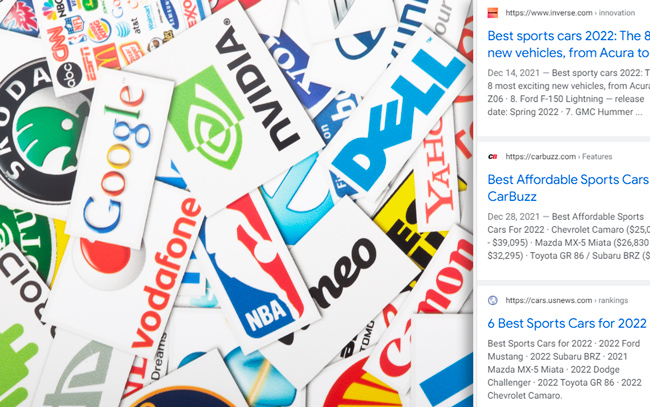
"They say “a favicon is worth a thousand words”. OK… they really don’t say that, but favicons can definitely be important from a Search perspective. In 2019, Google started displaying favicons in the mobile search results as part of a mobile redesign, and it ends up that those little graphics in the SERPs can sure help on several levels. For example, a favicon can help reinforce your brand, it can attract eyeballs in a crowded SERP, and it can also help with click-through rate. So you definitely want to make sure your favicon game is strong."
https://www.gsqi.com/marketing-blog/favicon-problems-google-search/
Meanderer
See-noir Member

StarSong
Awkward is my Superpower
- Location
- Sunny Southern California ♥
Senior Forums shows linked favicons for Facebook, Twitter, Reddit, Pinterest, Tumblr and WhatsApp toward the bottom of each page.
Interesting.Actually, those are just images linked to the websites you mentioned.
Trying to be clear here. Favicon refers to a specific use of an image, not necessarily the images themselves? It's a favicon when it's appearing on browser tabs, but not during other applications?
Do I have that right?
Devi
Well-known Member
- Location
- East WA USA
It's actually the image itself.
This is close enough from Wikipedia (I've edited it to make it less confusing/complex):
Does that help?
The favicon image is usually named "favicon.ico" ... whereas the seniorforums favicon is named something else, which does not always "translate" well with all browsers, and thus something else can be substituted for it.
This is close enough from Wikipedia (I've edited it to make it less confusing/complex):
A favicon (short for favorite icon) is a file containing one or more small images associated with a particular website. Browsers that provide favicon support typically display a page's favicon in the browser's address bar (sometimes in the history as well) and next to the page's name in a list of bookmarks.
Does that help?
The favicon image is usually named "favicon.ico" ... whereas the seniorforums favicon is named something else, which does not always "translate" well with all browsers, and thus something else can be substituted for it.
StarSong
Awkward is my Superpower
- Location
- Sunny Southern California ♥
So it's the name of those little images, regardless of where they are. Links or address bars.This is close enough from Wikipedia (I've edited it to make it less confusing/complex):
A favicon (short for favorite icon) is a file containing one or more small images associated with a particular website. Browsers that provide favicon support typically display a page's favicon in the browser's address bar (sometimes in the history as well) and next to the page's name in a list of bookmarks.
Does that help?
Thanks.
Devi
Well-known Member
- Location
- East WA USA
Correct. Or tabs.So it's the name of those little images, regardless of where they are. Links or address bars.
Thanks.
Meanderer
See-noir Member
https://en.wikipedia.org/wiki/Favicon
"In March 1999, Microsoft released Internet Explorer 5, which supported favicons for the first time.[4] Originally, the favicon was a file called favicon.ico placed in the root directory of a website. It was used in Internet Explorer's favorites (bookmarks) and next to the URL in the address bar if the page was bookmarked.[5][6][7][4] A side effect was that the number of visitors who had bookmarked the page could be estimated by the requests of the favicon. This side effect no longer works, as all modern browsers load the favicon file to display in their web address bar, regardless of whether the site is bookmarked.[6]}"
"In March 1999, Microsoft released Internet Explorer 5, which supported favicons for the first time.[4] Originally, the favicon was a file called favicon.ico placed in the root directory of a website. It was used in Internet Explorer's favorites (bookmarks) and next to the URL in the address bar if the page was bookmarked.[5][6][7][4] A side effect was that the number of visitors who had bookmarked the page could be estimated by the requests of the favicon. This side effect no longer works, as all modern browsers load the favicon file to display in their web address bar, regardless of whether the site is bookmarked.[6]}"
Meanderer
See-noir Member
How We Got the Favicon
Written by Jay Hoffmann on July 24, 2017.
The favicon was a total experiment, the result of a bit of serendipity and luck.
"In 1999 the two largest browsers, Netscape Navigator and Microsoft Internet Explorer, were in all out war for control of the market. Looming just ahead was the release of Internet Explorer 5, in March of 1999, a release that would give users a free browser deeply integrated into the Windows operating system, and deliver a final blow to Netscape Navigator’s market share. In the years to come, it would feature heavily in an antitrust suit brought against Microsoft."
"Shyam chose the .ico format because it was the standard Windows format for icons, and was used extensively by the Windows operating system. And since browsers were, at the time, developed in what were essentially vacuums, that made some kind of sense. So did the subsequent choice of having developers drop the icon in a servers root folder, since this was typically an easy task on Windows web servers."
"As the story goes, late one night, Shyam was working on his new favicon feature. He called over junior project manager Ray Sun to take a look."
"Shyam commented, “This is good, right? Check it in?”, requesting permission to check the code into the Internet Explorer codebase so it could be released in the next version. Sun didn’t think too much of it, the feature was cool and would clearly give IE an edge. So he told Shyam to go ahead and add it. And just like that, the favicon made its way into Internet Explorer 5, which would go on to become one of the largest browser releases the web has ever seen."
"The next day, Sun was reprimanded by his manager for letting the feature get by so quickly. As it turns out, Shyam had specifically waited until later in the day, knowing that a less experienced Program Manager would give him a pass. But by then, the code had been merged in. Incidentally, you’d be surprised just how many relatively major browser features have snuck their way into releases like this." READ MORE
Written by Jay Hoffmann on July 24, 2017.
The favicon was a total experiment, the result of a bit of serendipity and luck.
"In 1999 the two largest browsers, Netscape Navigator and Microsoft Internet Explorer, were in all out war for control of the market. Looming just ahead was the release of Internet Explorer 5, in March of 1999, a release that would give users a free browser deeply integrated into the Windows operating system, and deliver a final blow to Netscape Navigator’s market share. In the years to come, it would feature heavily in an antitrust suit brought against Microsoft."
"Shyam chose the .ico format because it was the standard Windows format for icons, and was used extensively by the Windows operating system. And since browsers were, at the time, developed in what were essentially vacuums, that made some kind of sense. So did the subsequent choice of having developers drop the icon in a servers root folder, since this was typically an easy task on Windows web servers."
"As the story goes, late one night, Shyam was working on his new favicon feature. He called over junior project manager Ray Sun to take a look."
"Shyam commented, “This is good, right? Check it in?”, requesting permission to check the code into the Internet Explorer codebase so it could be released in the next version. Sun didn’t think too much of it, the feature was cool and would clearly give IE an edge. So he told Shyam to go ahead and add it. And just like that, the favicon made its way into Internet Explorer 5, which would go on to become one of the largest browser releases the web has ever seen."
"The next day, Sun was reprimanded by his manager for letting the feature get by so quickly. As it turns out, Shyam had specifically waited until later in the day, knowing that a less experienced Program Manager would give him a pass. But by then, the code had been merged in. Incidentally, you’d be surprised just how many relatively major browser features have snuck their way into releases like this." READ MORE
RadishRose
Forever in Our Hearts
- Location
- Connecticut, USA
Are they stuffed?Favicon turkeys
